

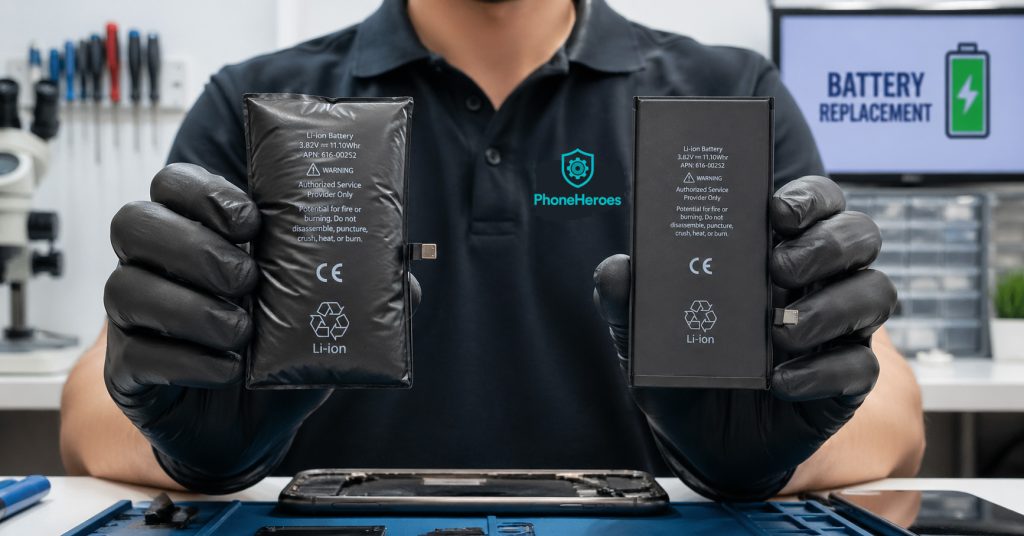
Is Your iPhone Battery Draining Too Fast? 7 Signs You Need a Replacement (Not a New Phone)
Your iPhone was working perfectly six months ago. Now it’s dead by 2pm, even after a full charge. You’ve turned off Background App Refresh, lowered the screen brightness, and still — nothing seems to help.
Before you convince yourself it’s time for a new phone, read this. In the majority of cases, a dying iPhone is a dying battery — and a battery replacement costs a fraction of a new handset. Here’s how to know for sure.
How to Check Your iPhone Battery Health in 30 Seconds
Apple gives you a built-in way to check your battery’s condition:
- Open the Settings app
- Tap Battery
- Tap Battery Health & Charging
You’ll see a percentage under ‘Maximum Capacity’. A brand-new battery is 100%. Apple considers anything below 80% to be ‘significantly degraded’. If you’re at 79% or below, your phone will almost certainly be struggling.
iPhone tip: if you see a message saying ‘Your battery’s health is significantly degraded’, Apple is effectively telling you a replacement is overdue.
7 Signs Your Battery Needs Replacing — Not Your Phone
1. Your battery health is below 80%
As mentioned above, this is the clearest indicator. Below 80%, your battery can no longer hold enough charge to power the phone efficiently. Performance throttling kicks in to prevent unexpected shutdowns — which means a slower phone on top of faster drain.
2. Your phone shuts off randomly — especially below 30%
A healthy battery can supply the peak current your phone needs for demanding tasks. A degraded battery can’t — so when your phone demands a burst of power (opening the camera, loading a heavy app), the battery voltage drops suddenly and the phone shuts itself off as a protection measure. This is a classic sign of a worn cell.
3. Charging takes much longer than it used to
A degraded battery charges more slowly because its internal resistance has increased. If your phone used to go from 20% to full in about 90 minutes and now takes three hours, the battery is the most likely culprit.
4. Your phone gets unusually warm during normal use
Some warmth during heavy use (gaming, video calls) is normal. But if your phone gets noticeably warm just browsing the web or scrolling through Instagram, the battery is working inefficiently and generating excess heat. This also accelerates further battery degradation — it’s a cycle worth breaking early.
5. The battery percentage jumps erratically
Goes from 45% to 20% in minutes, then holds steady, then drops again? This is your battery’s charge measurement becoming unreliable. The cells inside have degraded unevenly and can no longer accurately report remaining capacity. The software is essentially guessing.
6. Your phone is more than two years old
Li-ion batteries have a finite number of charge cycles — Apple rates iPhone batteries for approximately 500 full cycles before capacity drops below 80%. For most users, that’s roughly two years of daily charging. If your iPhone is 2.5 to 3 years old and you’ve never replaced the battery, there’s a very good chance the cell is at or below this threshold.
7. Low Power Mode is permanently on
If you find yourself switching on Low Power Mode before noon just to get through the day, that’s not a usage problem — that’s a battery problem. Low Power Mode is a useful emergency tool, but it shouldn’t be a permanent setting on a healthy phone.
Battery Replacement vs Buying a New Phone — Real Cost Comparison
Let’s be direct about the numbers. A battery replacement at Phone Heroes is a small fraction of the cost of a new handset. Consider:
- iPhone 13 battery replacement: significantly less than £100 in most cases
- iPhone 14 Pro battery replacement: still far below the cost of any new model
- New iPhone 15: upwards of £799 — even the base model
In almost every case, if your phone is otherwise working well — good screen, decent camera, working Face ID — a battery replacement will return it to like-new performance for a fraction of the upgrade cost. It’s the single best-value repair you can make to an aging iPhone.
How Long Does a Battery Replacement Take at Phone Heroes?
For most iPhone models, a battery replacement takes under an hour. You can wait in-store while we do it. We use high-quality cells and test everything before handing your phone back — including running the phone through a charge cycle to confirm the battery health reading resets correctly.
Works for Samsung and Other Android Phones Too
Everything above applies equally to Samsung Galaxy phones, Google Pixels, OnePlus, and most other Android devices. Android phones show battery degradation in the same ways — random shutdowns, slow charging, excessive heat, erratic percentages.
We replace batteries across all major Android brands. If you’re not sure whether we cover your model, just walk in and ask — diagnosis is always free.
Walk in for a free battery health check — no appointment needed. Phone Heroes, Earl’s Court Station, SW5 9SY. Call: +44 20 3397 7407