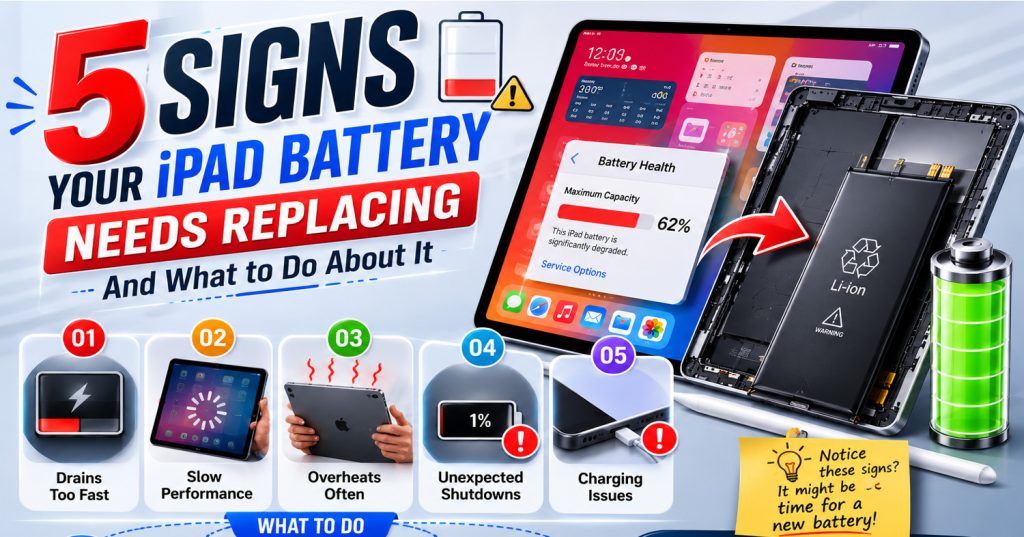
5 Signs Your iPhone Battery Needs Replacing (And What to Do About It)

5 Signs Your iPhone Battery Needs Replacing (And What to Do About It)

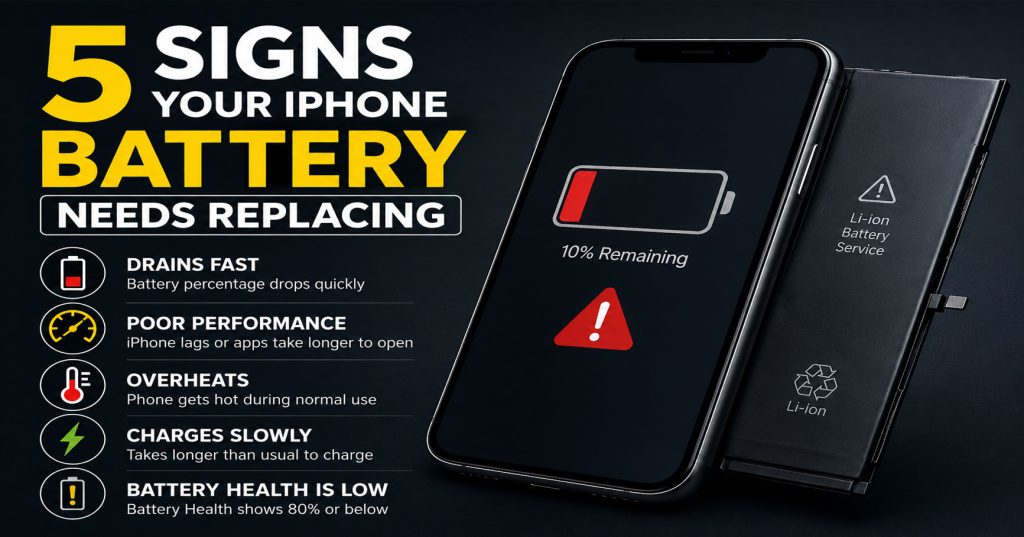
Your iPhone is one of the most important tools you carry every day. But no matter which model you own — whether it’s an iPhone 14, iPhone 15 Pro, or the latest iPhone 16 — the battery will degrade over time. Apple designs iPhone batteries to retain up to 80% of their original capacity after 500 full charge cycles. After that, performance can drop noticeably.

The good news? A battery replacement is one of the most affordable and impactful repairs you can make. At Phone Heroes in Earl’s Court, we replace iPhone batteries in as little as 30 minutes — and your phone will feel like new again.

Here are five clear signs that your iPhone battery needs replacing.

1. Your iPhone Is Draining Much Faster Than It Used To

This is the most common complaint we hear at our Earl’s Court repair shop. If your iPhone used to last all day on a single charge but now needs a top-up by early afternoon, that’s a strong indicator that your battery health has declined.

To check your battery health, go to Settings > Battery > Battery Health & Charging. If the maximum capacity reading is below 80%, Apple itself recommends a replacement. Anything below 85% and you’re likely already noticing reduced performance.

A degraded battery won’t just drain faster — it can also cause your iPhone to run warmer than usual and trigger unexpected behaviours across apps.

2. Your iPhone Shuts Down Unexpectedly — Even With Battery Remaining

One of the most frustrating symptoms of a failing battery is your iPhone powering off suddenly — even when it shows 20%, 30%, or more battery remaining. This happens because an aged battery can no longer deliver the peak power that the iPhone’s processor demands under load.

When the battery can’t sustain the power draw, your iPhone shuts itself down as a protective measure. If this is happening to you regularly, a battery replacement is almost certainly the solution.

This issue tends to get worse in cold weather, when battery chemistry performs less efficiently — another sign the cells are past their best.

3. Your iPhone Is Slower Than It Used to Be

Apple introduced a feature called performance management, which automatically reduces your iPhone’s processor speed to prevent unexpected shutdowns caused by an ageing battery. While this protects the hardware, it means your phone may feel sluggish — apps take longer to open, animations stutter, and the camera is slower to respond.

Many people assume their iPhone is just getting old and start thinking about an upgrade. In many cases, a simple battery replacement is all that’s needed to restore full speed and responsiveness. At Phone Heroes, customers are often amazed at how much faster their phone feels after a battery swap.

You can check whether performance management is active on your device by going to Settings > Battery > Battery Health & Charging and looking for any performance management notices.

4. Your iPhone Gets Unusually Hot During Normal Use

It’s normal for your iPhone to get slightly warm during intensive tasks — gaming, video calls, or using GPS for long periods. But if your device regularly feels hot during everyday tasks like browsing, messaging, or streaming, the battery may be to blame.

An ageing lithium-ion battery has to work harder to deliver the same power output, generating more heat in the process. Excessive heat can also accelerate the degradation of other components over time — so it’s worth addressing sooner rather than later.

If your iPhone is running warm alongside any of the other symptoms on this list, a battery replacement should be your first step.

5. Your Battery Health Is Below 80% — Even If You Haven’t Noticed Symptoms Yet

Sometimes battery degradation is gradual enough that you adapt to it without realising. You start charging more frequently, you carry a portable power bank, or you just accept that your phone doesn’t last as long as it used to.

If you check your Battery Health and see a reading below 80%, we’d recommend replacing the battery even if you haven’t noticed dramatic symptoms yet. Proactive replacement means you won’t be caught short during a busy day — and it’s far cheaper than buying a new phone.

At Phone Heroes in Earl’s Court, iPhone battery replacements start from £39 and take around 30 minutes. We use high-quality replacement batteries and back every repair with a one-year warranty.

How to Get Your iPhone Battery Replaced at Phone Heroes

Getting your battery replaced couldn’t be simpler. Our repair shop is located at the Warwick Road Entrance of Earl’s Court Underground Station — right in the heart of West London, convenient for commuters, residents, and anyone passing through Kensington or Chelsea.

There’s no need to book an appointment. Walk in during opening hours, hand over your iPhone, and in around 30 minutes you’ll have a fresh battery — backed by our one-year warranty. We replace batteries on all iPhone models from iPhone 6 through the latest iPhone 17 series.

Not sure if your battery needs replacing? Walk in for a free battery health check. Our technicians will assess your phone at no charge and give you an honest recommendation. If a replacement isn’t needed, we’ll tell you.

Call us on 020 3397 7407 or visit phoneheroeslondon.co.uk to find out more.
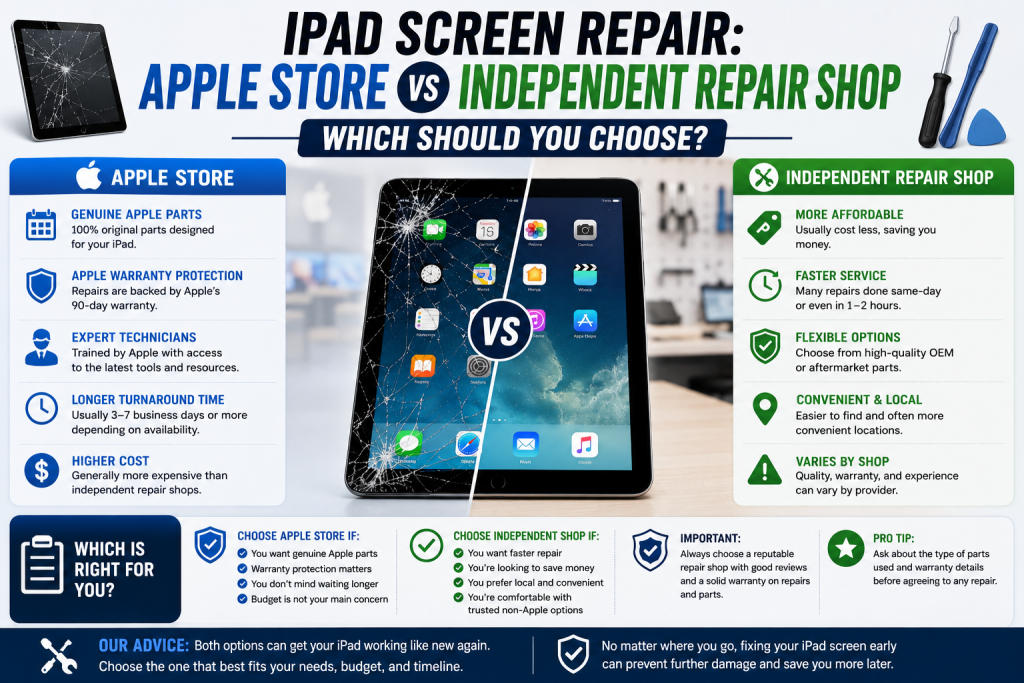
iPhone Screen Repair: Apple Store vs Independent Repair Shop — Which Should You Choose?

iPhone Screen Repair: Apple Store vs Independent Repair Shop — Which Should You Choose?

Cracking your iPhone screen is one of those moments that instantly ruins your day. Within seconds, you’re weighing up your options — and the two you’re most likely to consider are the Apple Store and an independent repair shop.

Both have their merits. But which is actually the better choice for most people? At Phone Heroes in Earl’s Court, we’ve repaired thousands of iPhone screens — and we want to give you an honest, balanced answer so you can make the right decision for your situation.

Here’s how the Apple Store and an independent repair shop compare across the five factors that matter most.

1. Cost — How Much Will You Pay?

This is usually where the difference is most stark. Apple charges premium prices for screen repairs, particularly on newer models. An out-of-warranty iPhone 15 Pro screen repair at the Apple Store can cost upwards of £300. For an iPhone 16 Pro Max, that figure can exceed £400.

At an independent repair shop like Phone Heroes, iPhone screen repairs start from £49 for older models, and even repairs on current flagship devices are significantly less expensive than Apple’s out-of-warranty pricing.

The exception is if you have AppleCare+, which reduces Apple’s repair fees considerably — sometimes to as little as £25. If you have an active AppleCare+ plan, the Apple Store becomes much more competitive on price.

For the majority of iPhone owners without AppleCare+, an independent repair shop offers dramatically better value.

2. Speed — How Long Will You Wait?

Apple Store appointments are typically booked days in advance — sometimes a week or more if your local store is busy. Once you’re in, the repair itself may take several hours or require you to leave your phone overnight.

At most independent repair shops, you can walk in without an appointment and have your screen replaced in 30 to 60 minutes. At Phone Heroes in Earl’s Court, the majority of iPhone screen replacements are completed while you wait — often in under an hour.

If you need your phone back quickly and can’t afford to wait for an Apple Store slot, an independent repair shop is almost always the faster option.

3. Parts Quality — Will the Repair Be as Good?

This is the question people ask most often — and it deserves a straight answer. Apple uses original Apple-manufactured screens, which do offer some technical advantages, particularly around True Tone calibration and Face ID compatibility.

Reputable independent repair shops use high-quality aftermarket or OEM-equivalent panels that deliver excellent display performance in everyday use. The difference in real-world quality between a good aftermarket screen and an Apple original is often indistinguishable to most users.

Where quality can vary is between repair shops — not all independents use the same grade of parts. At Phone Heroes, we use premium-quality screens and are transparent about the options available to you. We’ll always tell you what grade of screen is being fitted and what to expect.

The key is to choose a repair shop with a track record of quality and a warranty to back it up.

4. Warranty — What Happens If Something Goes Wrong?

Apple provides a 90-day warranty on its out-of-warranty repairs — covering only the repair itself, not any unrelated issues.

At Phone Heroes, every screen repair comes with a one-year warranty as standard — more than four times the coverage Apple provides on out-of-warranty fixes. If the same issue returns within 12 months of your repair, we fix it at no charge.

For most customers, a one-year warranty from a trusted local repair shop provides more than adequate peace of mind — and better protection than Apple’s own terms on paid repairs.

5. Convenience — Which Is Easier to Access?

The nearest Apple Store to Earl’s Court is in Covent Garden or Westfield Shepherd’s Bush — both requiring travel, a booked appointment, and significant time out of your day.

Phone Heroes is located at the Warwick Road Entrance of Earl’s Court Underground Station — one of West London’s most accessible locations. If you live or work in Kensington, Chelsea, Fulham, Hammersmith, or anywhere nearby, we’re easy to reach without going out of your way.

Walk in during opening hours and you’ll be back on your way with a repaired phone in under an hour — no appointment, no travel across London, no waiting.

So — Which Should You Choose?

Choose the Apple Store if you have AppleCare+ (the reduced price makes it excellent value) or if your iPhone is still under its original one-year Apple warranty.

Choose an independent repair shop like Phone Heroes if your iPhone is out of warranty, you need your phone repaired quickly, or you want a high-quality repair at a fair price without trekking across London.

At Phone Heroes in Earl’s Court, we’ve built our reputation on delivering repairs that last — with honest pricing, premium parts, and a one-year warranty on everything we touch. Call us on 020 3397 7407, visit phoneheroeslondon.co.uk, or simply walk in to our shop at Earl’s Court Station.

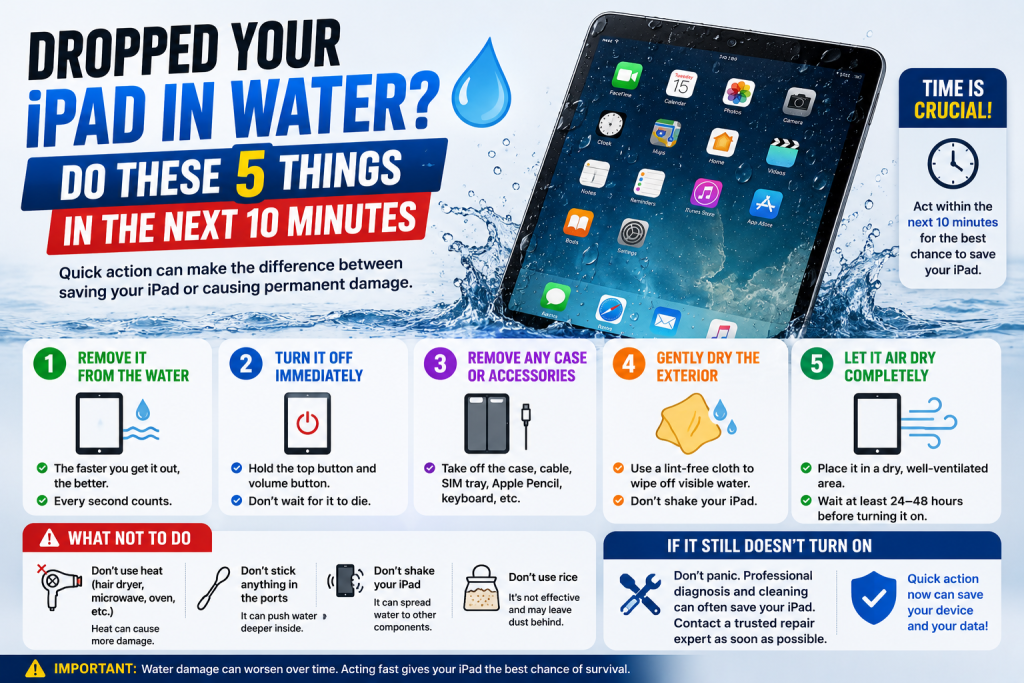
Dropped Your Phone in Water? Do These 5 Things in the Next 10 Minutes

Dropped Your Phone in Water? Do These 5 Things in the Next 10 Minutes

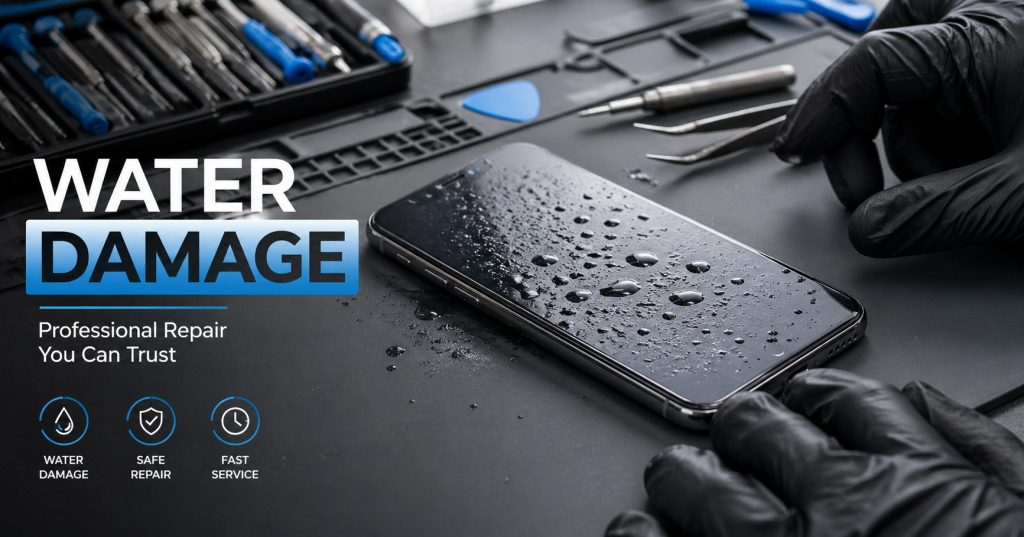
It happens in an instant. One moment your phone is fine, the next it’s at the bottom of the toilet, the kitchen sink, a puddle, or — the classic — a glass of water on the nightstand. Your heart sinks. You fish it out and stare at it, hoping for a miracle.

Here’s the truth: water damage is one of the most recoverable phone problems — but only if you act fast and do the right things. The next 10 minutes are critical. Here’s exactly what to do.

Why the First 10 Minutes Matter So Much

Water itself doesn’t fry your phone — the electricity passing through wet components does. The moment water bridges a circuit, it causes short circuits that permanently damage the logic board, charging circuits, and cameras. The faster you act to stop that process, the better your chances of saving the device.

Modern phones have water-resistance ratings (like IP67 or IP68), but these degrade over time and don’t cover submersion beyond test conditions. Don’t rely on it.

5 Steps to Take Immediately

1. Power it off straight away

This is the single most important step. If your phone is still on, hold the power button and switch it off immediately. Do not plug it in to check if it charges. Do not try to unlock it. Every second it’s powered on with water inside increases the risk of short-circuit damage.

If the screen is unresponsive and you can’t turn it off, hold the power and volume buttons simultaneously to force a restart or shutdown.

2. Remove the SIM card, case, and any accessories

Pop the SIM tray out and set it aside. Remove your case. Unplug any accessories like headphones or charging cables. The goal is to expose as many openings as possible to allow drainage and airflow.

If you have a phone with a removable battery (older Android phones), remove it immediately.

3. Gently dry the exterior — but avoid heat

Use a clean, dry cloth or paper towel to blot (not rub) moisture from the surface. Pay attention to the charging port, speaker grilles, and SIM slot. Tilt the phone gently to encourage any pooled water to drain out of the ports.

Do NOT use a hairdryer, oven, microwave, or any heat source. Heat warps internal components and causes more damage than the water itself.

4. Do NOT put it in rice — here’s why

The rice trick is one of the most persistent myths in phone repair. Rice is a poor desiccant — it absorbs very little moisture and does so very slowly. Worse, rice dust and starch particles can get inside your phone through the ports and cause additional problems.

If you want to use a desiccant, silica gel packets (the ones you find in shoe boxes and packaging) are significantly more effective. But ideally, skip the DIY drying entirely and get to a repair shop as fast as possible.

5. Get to a repair shop as quickly as you can

The professional treatment for water damage involves ultrasonic cleaning of the logic board and internal components — something you cannot replicate at home. The sooner a technician can clean and assess the internals, the higher the chance of full recovery.

At Phone Heroes, we offer water damage treatment for iPhones, Samsung devices, iPads, and other smartphones. Walk in — no appointment needed.

What Our Technicians Do for Water-Damaged Phones

When you bring a water-damaged phone to us, here’s what happens:

  1. We open the device and visually assess the damage, looking for corrosion, burn marks, and saturated components.
  2. We use an ultrasonic cleaner — a device that uses high-frequency sound waves in a cleaning solution to remove mineral deposits, corrosion, and residue from the board at a microscopic level.
  3. The board and components are dried in a controlled environment.
  4. We reassemble and test all functions — screen, cameras, speakers, microphone, Touch ID/Face ID, and charging.
  5. If specific components are damaged beyond recovery, we’ll tell you clearly and give options.

Can All Water-Damaged Phones Be Saved?

Honestly — not always. The outcome depends on how long the phone was submerged, what type of liquid it was (salt water and sugary drinks are more corrosive than clean water), and how quickly you acted.

Phones brought in within a few hours have the best outcomes. Phones that were left wet for days, or that were powered on repeatedly after getting wet, are harder to recover. But we’ve successfully revived devices that seemed completely dead — it’s always worth bringing it in for assessment.

We always give you a free diagnosis before quoting for any repair. If we can’t fix it, we’ll tell you honestly.

How Much Does Water Damage Repair Cost in London?

Costs vary depending on the extent of the damage and which components need attention. A diagnostic clean for a recently dropped phone typically starts from a reasonable flat fee. More complex repairs — where the charging board or camera has been damaged — will cost more. We’ll always give you a clear quote before starting any paid work.

Dropped your phone in water? Don’t wait. Walk into Phone Heroes, Earl’s Court Station — we’ll assess it immediately. +44 20 3397 7407

MacBook Not Charging or Screen Cracked? Why an Independent Repair Shop Beats Apple’s Prices

MacBook Not Charging or Screen Cracked? Why an Independent Repair Shop Beats Apple’s Prices

MacBooks are brilliant machines — until something goes wrong. And when they do, the first instinct for most people is to head to the Apple Store. But before you take that trip to the Genius Bar, it’s worth knowing what independent repair actually looks like — and what it costs.

At Phone Heroes in Earl’s Court, we repair MacBooks every week. Screens, batteries, keyboards, charging boards, liquid damage — we’ve seen it all. Here’s an honest guide to your options.

The Most Common MacBook Problems We Fix

MacBook won’t charge or turn on

This is one of the most common issues we see, and it’s frequently misdiagnosed as a dead machine. In many cases, the culprit is a faulty MagSafe/USB-C charging board, a blown fuse on the logic board, or a degraded battery that can no longer hold enough charge to trigger the startup process.

We diagnose the exact cause before quoting — we don’t just replace parts at random.

Cracked or flickering MacBook screen

MacBook screens are thin and, despite the aluminium unibody, the display is vulnerable to pressure damage from impacts or being closed on an object. Flickering, half-dark screens, or vertical lines usually indicate a damaged display panel or a faulty display cable.

We carry replacement screens for MacBook Air (M1, M2, Intel) and MacBook Pro models. Screen replacements are typically completed in 1–2 hours.

Keyboard not working — keys sticking or not registering

If you have a MacBook from 2016 to 2019, you may be very familiar with Apple’s butterfly keyboard mechanism — infamous for failing due to dust particles getting under keys. Later MacBook models with the revised scissor-switch keyboard are more reliable, but keys still fail over time.

Depending on the model, we can replace individual keys, the entire top case, or the keyboard module. We’ll advise which option makes most economic sense for your specific machine.

Liquid damage to MacBook

A spilled coffee or glass of water on a MacBook is a genuine emergency. Just like with phones, powering off immediately gives you the best chance of recovery. Bring it to us as fast as possible — we use ultrasonic cleaning on MacBook logic boards with a strong track record of recovery, even in cases that looked initially dire.

Apple Store Repair Prices vs Phone Heroes — an Honest Comparison

Apple’s out-of-warranty repair costs are publicly listed, and they’re significant. Here’s the reality:

  • Apple charges flat-rate fees based on the model, not the specific fault — so you often pay the same whether it’s a £30 part or a £300 part.
  • Apple’s out-of-warranty screen replacements for MacBook Pro can run into several hundred pounds.
  • Battery replacements through Apple are more reasonably priced — but still come with lead times and require leaving your machine.

At Phone Heroes, we quote based on the actual fault and components required — not a flat model-based rate. This typically means significantly lower costs for most repairs. We’re transparent about pricing: you get a written quote before we start any work.

Will a Non-Apple Repair Void My Warranty?

This is the question we get most often, and the answer depends on your situation:

  • If your MacBook is still under Apple’s standard one-year warranty or AppleCare+, having it repaired by a third party may affect your ability to claim under those warranties for the same issue. In this case, it’s worth checking Apple’s costs first.
  • If your Mac is out of warranty (most MacBooks over 12 months old that haven’t been enrolled in AppleCare+), this is not a concern at all. Apple’s warranty is already expired.
  • Under UK consumer rights law, your statutory rights against the retailer run for up to six years for inherent faults — this is separate from the manufacturer warranty and is not affected by independent repair.

For most MacBooks that come to us — typically 2 to 5 years old — warranty voiding is simply not relevant.

How Long Does a MacBook Repair Take?

It depends on the fault:

  • Charging diagnosis and minor board repair: same day in most cases
  • Screen replacement: 1–3 hours depending on the model
  • Battery replacement: 1–2 hours
  • Keyboard replacement: 2–4 hours (top case replacements require more time)
  • Liquid damage treatment: typically 24–48 hours for full ultrasonic clean and reassembly

We’ll always give you a realistic timeline upfront. For urgent repairs, let us know when you come in and we’ll do our best to prioritise.

Why Londoners Near Earl’s Court Choose Phone Heroes for MacBook Repair

We’re not a generalist electronics shop — phone and device repair is all we do. Our technicians work on MacBooks regularly, not occasionally. We use quality parts, back our work with a warranty, and we’re honest when a repair isn’t cost-effective.

Our location inside Earl’s Court Station makes us one of the most accessible repair shops in West London. Whether you’re commuting through Earl’s Court or live locally, you’re never far from a professional MacBook repair.

Free MacBook diagnosis available — walk in and one of our technicians will assess your machine and give you a clear recommendation with no obligation.

Get your MacBook diagnosed for free. Walk in to Phone Heroes, Earl’s Court Station, Warwick Rd, London SW5 9SY | +44 20 3397 7407 | phoneheroeslondon.co.uk

Is Your iPhone Battery Draining Too Fast? 7 Signs You Need a Replacement (Not a New Phone)

Is Your iPhone Battery Draining Too Fast? 7 Signs You Need a Replacement (Not a New Phone)

Your iPhone was working perfectly six months ago. Now it’s dead by 2pm, even after a full charge. You’ve turned off Background App Refresh, lowered the screen brightness, and still — nothing seems to help.

Before you convince yourself it’s time for a new phone, read this. In the majority of cases, a dying iPhone is a dying battery — and a battery replacement costs a fraction of a new handset. Here’s how to know for sure.

How to Check Your iPhone Battery Health in 30 Seconds

Apple gives you a built-in way to check your battery’s condition:

  1. Open the Settings app
  2. Tap Battery
  3. Tap Battery Health & Charging

You’ll see a percentage under ‘Maximum Capacity’. A brand-new battery is 100%. Apple considers anything below 80% to be ‘significantly degraded’. If you’re at 79% or below, your phone will almost certainly be struggling.

iPhone tip: if you see a message saying ‘Your battery’s health is significantly degraded’, Apple is effectively telling you a replacement is overdue.

7 Signs Your Battery Needs Replacing — Not Your Phone

1. Your battery health is below 80%

As mentioned above, this is the clearest indicator. Below 80%, your battery can no longer hold enough charge to power the phone efficiently. Performance throttling kicks in to prevent unexpected shutdowns — which means a slower phone on top of faster drain.

2. Your phone shuts off randomly — especially below 30%

A healthy battery can supply the peak current your phone needs for demanding tasks. A degraded battery can’t — so when your phone demands a burst of power (opening the camera, loading a heavy app), the battery voltage drops suddenly and the phone shuts itself off as a protection measure. This is a classic sign of a worn cell.

3. Charging takes much longer than it used to

A degraded battery charges more slowly because its internal resistance has increased. If your phone used to go from 20% to full in about 90 minutes and now takes three hours, the battery is the most likely culprit.

4. Your phone gets unusually warm during normal use

Some warmth during heavy use (gaming, video calls) is normal. But if your phone gets noticeably warm just browsing the web or scrolling through Instagram, the battery is working inefficiently and generating excess heat. This also accelerates further battery degradation — it’s a cycle worth breaking early.

5. The battery percentage jumps erratically

Goes from 45% to 20% in minutes, then holds steady, then drops again? This is your battery’s charge measurement becoming unreliable. The cells inside have degraded unevenly and can no longer accurately report remaining capacity. The software is essentially guessing.

6. Your phone is more than two years old

Li-ion batteries have a finite number of charge cycles — Apple rates iPhone batteries for approximately 500 full cycles before capacity drops below 80%. For most users, that’s roughly two years of daily charging. If your iPhone is 2.5 to 3 years old and you’ve never replaced the battery, there’s a very good chance the cell is at or below this threshold.

7. Low Power Mode is permanently on

If you find yourself switching on Low Power Mode before noon just to get through the day, that’s not a usage problem — that’s a battery problem. Low Power Mode is a useful emergency tool, but it shouldn’t be a permanent setting on a healthy phone.

Battery Replacement vs Buying a New Phone — Real Cost Comparison

Let’s be direct about the numbers. A battery replacement at Phone Heroes is a small fraction of the cost of a new handset. Consider:

  • iPhone 13 battery replacement: significantly less than £100 in most cases
  • iPhone 14 Pro battery replacement: still far below the cost of any new model
  • New iPhone 15: upwards of £799 — even the base model

In almost every case, if your phone is otherwise working well — good screen, decent camera, working Face ID — a battery replacement will return it to like-new performance for a fraction of the upgrade cost. It’s the single best-value repair you can make to an aging iPhone.

How Long Does a Battery Replacement Take at Phone Heroes?

For most iPhone models, a battery replacement takes under an hour. You can wait in-store while we do it. We use high-quality cells and test everything before handing your phone back — including running the phone through a charge cycle to confirm the battery health reading resets correctly.

Works for Samsung and Other Android Phones Too

Everything above applies equally to Samsung Galaxy phones, Google Pixels, OnePlus, and most other Android devices. Android phones show battery degradation in the same ways — random shutdowns, slow charging, excessive heat, erratic percentages.

We replace batteries across all major Android brands. If you’re not sure whether we cover your model, just walk in and ask — diagnosis is always free.

Walk in for a free battery health check — no appointment needed. Phone Heroes, Earl’s Court Station, SW5 9SY. Call: +44 20 3397 7407

Cracked iPhone Screen? Here’s Exactly What Happens When You Bring It to a Repair Shop

Cracked iPhone Screen? Here’s Exactly What Happens When You Bring It to a Repair Shop

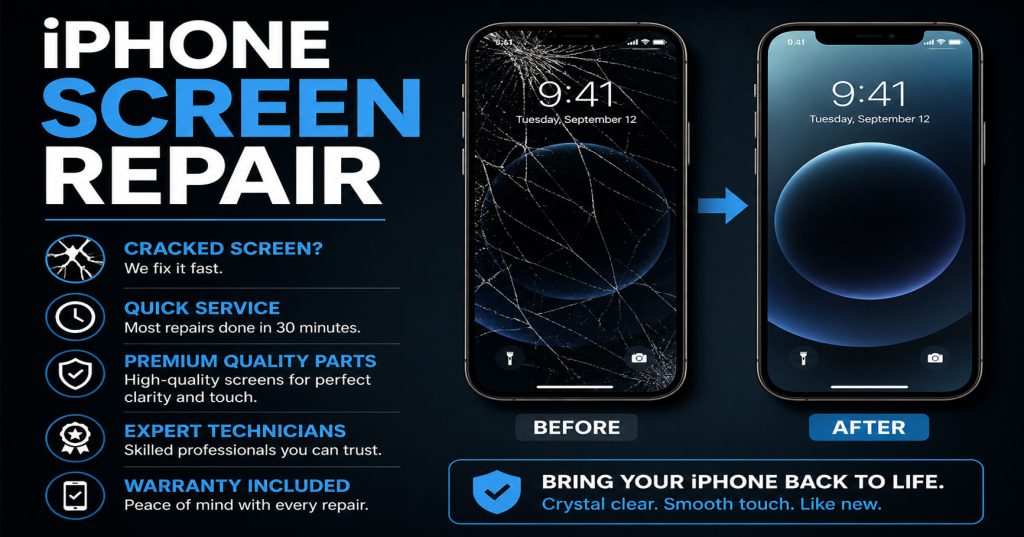
A cracked iPhone screen is one of those things that happens at the worst possible moment. One slip, one dropped call, and suddenly you’re squinting through a spiderweb of broken glass. The good news? You don’t need to live with it — and you definitely don’t need to hand over hundreds of pounds to Apple.

At Phone Heroes in Earl’s Court, we fix cracked iPhone screens every single day. In this post, we’re pulling back the curtain on exactly what happens from the moment you walk through our door to the moment you walk out with a phone that looks brand new.

Why You Shouldn’t Ignore a Cracked Screen

It’s tempting to put off a screen repair, especially if the phone still technically works. But a cracked screen is more than a cosmetic issue. Here’s why acting fast matters:

  • Water and dust get in — even a hairline crack breaks the phone’s seal, leaving internal components exposed.
  • The crack spreads — pressure from daily use causes cracks to grow, sometimes rapidly.
  • Touch sensitivity degrades — damaged digitizer layers underneath the glass start to miss taps and swipes.
  • Glass splinters — tiny shards of glass can cause cuts to your fingers, especially around the edges.

The longer you wait, the more expensive the repair can become — what starts as a screen job can turn into a touch controller replacement if the digitizer is further damaged.

What to Expect When You Walk Into Phone Heroes

Our shop is located at Earl’s Court Station, Warwick Road entrance — one of the most central and convenient repair locations in London. No appointment needed. Here’s what happens when you come in:

Step 1 — Free diagnosis (takes about 5 minutes)

Our technician will take a look at your phone straight away. This isn’t a vague ‘leave it with us’ situation — we assess the screen damage on the spot, check for any underlying issues (like a damaged digitizer or frame), and give you a clear, upfront quote. No obligation.

Step 2 — Screen replacement (30–60 minutes for most models)

Once you’re happy with the quote, we get to work. Here’s what the repair process looks like:

  1. We power down and secure your device.
  2. The cracked screen assembly is carefully removed — we use professional tools to avoid any damage to the frame or internal components.
  3. We fit a new, high-quality replacement screen. We use OEM-grade or OEM displays depending on the model and your preference.
  4. All connections are reseated and tested — touch sensitivity, Face ID, True Tone, and brightness all checked before closing up.
  5. The phone is powered back on and put through a full functionality check.

Step 3 — Quality check and handback

Before we hand your phone back, we run through a checklist: the screen is responsive, edges are flush, all functions work. You’ll see the result before you pay. We don’t rush this — getting it right the first time is what earns our 4.7-star rating on Google.

How Long Does a Screen Repair Take?

For most iPhone models, screen replacement takes between 30 and 60 minutes. Some complex models — like certain iPhone Pro models with advanced display technology — may take slightly longer. We’ll always give you a realistic time estimate upfront. In most cases, you can wait in-store or pop to a nearby coffee shop and come back.

iPhone 11, 12, 13, 14, 15 — most repairs completed in under 45 minutes.

OEM vs Aftermarket Screens — What’s the Difference?

This is one of the most common questions we get. Here’s a quick breakdown:

  • OEM (Original Equipment Manufacturer) screens come from the same supply chain as Apple’s own screens. They look and feel identical to the original and maintain features like True Tone on compatible models.
  • High-quality aftermarket screens are made by third-party manufacturers to the same specifications. They’re slightly more affordable and are a great option for older iPhone models or budget-conscious repairs.

We’ll always explain the difference and let you choose. We never use cheap, low-grade displays — every screen we fit comes with our 1-year warranty.

What Does Our 1-Year Warranty Cover?

Every screen repair at Phone Heroes comes with a 1-year warranty as standard. This covers:

  • Defects in the replacement screen (dead pixels, touch issues, colour inconsistencies)
  • Any fitting or installation issues

The warranty does not cover new physical damage (a second drop is a second repair). But for anything related to our workmanship or the quality of the part — we’ve got you covered.

Frequently Asked Questions About iPhone Screen Repair in London

Will repairing my screen void my Apple warranty?

If your phone is already out of Apple’s warranty period, this isn’t a concern. If it’s still under Apple Care+, we’d recommend checking Apple’s repair costs first — though in most cases, an independent repair is significantly cheaper and just as reliable.

Do you repair all iPhone models?

Yes. From the iPhone 6 all the way through to the iPhone 15 Pro Max. If you’re unsure whether we cover your model, give us a call or just walk in — we’ll tell you immediately.

What if my screen still doesn’t work properly after repair?

That’s what the warranty is for. Come back in and we’ll assess it. We stand behind every repair we do.

Do I need to back up my phone before coming in?

A screen repair doesn’t affect your data — your content stays on the phone throughout. That said, it’s always a good habit to back up your phone regularly, and we’d recommend doing so before any repair as a precaution.

Walk in today — no appointment needed. Phone Heroes, Earl’s Court Station, Warwick Rd, London SW5 9SY. Call us: +44 20 3397 7407

Fixing Any Smartphone is Now More Convenient with Phone Heroes in London by Your Side!

smartphone repair london

Smartphones have become an indispensable part of our daily lives. Apart from balancing our job lives, smartphones also perform minor tasks in our lives. Similarly, we use an alarm clock to wake up and check our social media accounts before going to bed. Because of cell phones, all of this is possible. By stating that when our smartphone malfunctions or suffers an accident as a result of mistreatment, it affects our way of life. Nonetheless, with the fast expansion of smartphone users, nearly all smartphone manufacturers have established service centers in as many convenient locations as feasible. Even in the United Kingdom, many people work in these service centers and use their services for repairs. So, if you’re in search of places for phone repair in London, Phone Heroes is the optimum place you can look for!

Phone Heroes London is an electronic gadget repairing shops c BHI Shain who are expertise in repairing phones in London. And appropriately so, because of the fivefold perks, they provide to their customers. Being a London-based firm, Phone Heroes has expertise in repairing a vast range of gadgets, from cell phones to tablets and laptops. The perks they provide to their customers include,

• They understand the precious value of your time. Therefore, Phone Heroes London usually tends to give your device back to you after repairs on the same day.
• Some parts of MacBooks or iPhones are expensive enough, so if you have to replace the whole device, it would cost you a lot. Therefore, they usually diagnose the device properly and fix that exact part that malfunctions. Sometimes replacing it.
• Moreover, they provide you with one year warranty on the repaired parts. Hence, you can come to us and get your servicing done free of cost if something happens to that part in between.
• The price they charge is also reasonable, compared to the market price. Therefore, no more crunch in your pocket when you fix your phone.

The best place for mobile repairs in London, Phone Heroes, has outlets all over the UK. Nonetheless, you can visit their website and book an appointment via call or email. Finally, get your smartphone servicing done with ease!

Conveniently Repair Your MacBook from Phone Heroes London!

MacBook repair London

In the modern world, our workload has been reduced to almost half with the help of our Laptops. Especially in the time of the pandemic, when work from home is the sole alternative, it is crucial to look after your laptop. Although Apple products such as MacBook have an immense reputation amongst the users due to their security and smooth working capability. Numerous MNCs even provide their employees with this. Nonetheless, if your MacBook somehow experiences any glitch. Or the power button isn’t working! Or, if you see your MacBook repair screen broken, you can easily fix it with the Phone Heroes London!

Phone Heroes London, the best place for MacBook repair in the UK, assures you to make your MacBook work like new! Our repairing service is very simple and conveniently designed for you. Go to our website and choose your MacBook version. Next, you will be provided a repair quotation instantly. After that, you can book an appointment for yourself. There are numerous Apple service centres for MacBook repair London. Nevertheless, our repair cost is reasonable compared to the market. Even if you cannot come physically with your MacBook to us, you can courier us, and we will do so forth. You can even call us at the given number on our website, for your queries.

You can surely think about what makes us ahead in the race? First of all, all of our repaired products, including the MacBook, come with a year warranty! Even more, the technical experts at Phone Heroes London diagnose your gadget within a day! Moreover, our stores are scattered all over the UK. Thus anywhere in the UK, you can go to our shop and repair your product. On our website, you can find the testimonials of our customers, and see how we serve them.

So, if you are in search of MacBook repair, call us at Phone Heroes London. Our repairing service certainly saves your money, because you do not need to replace the model. Our amicable service charge and superb hospitality towards our customers makes us the one-stop platform for all our users!

Also Read: 3 Common Issues in MacBook and Their Quick-Fix

Why Do You Need iPad Glass Replacement Same Day Services?

iPad glass replacement same day

A glass of an iPad is the most vital aspect for the users of iPad because they are always trying to take care of iPad Glass from any kind of damage. When or why, you need the iPad Glass Replacement Same Day Services? It is the question of so many users because sometimes they didn’t know about the actually, they don’t know about the possibilities of the iPad Glass Replacement Services.

1). When Your iPad Glass is Broken: 

The first thing that you need to know here is the iPad Glass is a Broken situation. It is the first and foremost reason for people to change the glass of iPad. If you are also thinking that the glass of your iPad is broken then get in touch with the services of Phone Heroes London because with these services you can get the iPad Air Screen Repairs Services.

2). When The Glass Looks Too Much Old:

If the year has been passed by your old iPad Glass and you think that iPad Glass Looks too much old now, then you can choose the iPad Glass Replacement Same Day Services. Therefore, if the glass has been replaced so many long times ago then change the glass of your iPad with the iPad Glass Replacement Same Day Services.

3). Glass Affects Screen or Touch of iPad:

The next reason to get the service of iPad Glass Replacement Same Day is when because of Glass you are not able to use the touch or screen of your iPad Properly and you want to use it properly without facing the issue of the touch screen. Some glasses do not work properly after some time and that’s why users are thinking to replace the glass of the iPad the same day to use the phone properly. Hence, It’s all about the information that you need to know in the range of circumstances and reasons when you need the iPad Glass Replacement Same Day Services. Phone Heroes London is also the best service provider for phone repair or mobile screen repair goals.

Also read: Things to Know About Mobile Screen Repair in London

Things to Know About Mobile Screen Repair in London

Mobile Screen Repair in London

The screen of your phone is playing a crucial role in the durability and maintenance of your phone. Many times, when you are facing screen problems with your phone, then there are so many myths that came to your mind that you must avoid making sure all the things are in a perfect manner. When do you actually need the Mobile Screen Repair in LondonYou must understand the circumstances when you required screen repair services for your phone. 

@1. When Phone Screen is Broken:

One of the primary reasons that you need to know about the damaged screen is the broken screen. The broken screen may be the reason for the phone slipping or some other issue. If your mobile phone screen is broken due to any kind of damage, then you must require to get the service of Mobile Screen Repair in London.

@2. Water Damage (Most Common Issue):

A common screen issue faced by lots of users right now is water damage. When your phone gets in touch with the water and now the screen is not responding properly then you can take a look at the services of Mobile Screen Repair in London because with the help of phone repair you can repair the water damage of your phone. 

@3. Charging Port Not Respond Properly:

If you think that your charging port is not responding properly, then that means you need the port repair services and not the Mobile Screen Repair in London. Thus, the port is a different issue and the screen is a different issue. You can’t treat the port issue as the screen issue of your phone.

@4. Battery Draining Very Fast:

One more common reason that you need for the Mobile Screen Repair in London is battery draining very fast. Yes, that’s right and if you are thinking that the battery is draining very fast, then you must choose the services of phone repair from the Phone Heroes London.

Summary:

Hence, it’s all about the information that you need to know in the list of reasons for the Mobile Phone Screen Repair in London.

Also read: How to Get iPad Glass Replacement Same Day Services?