iPad Screen Repair: Apple Store vs Independent Repair Shop — Which Should You Choose?

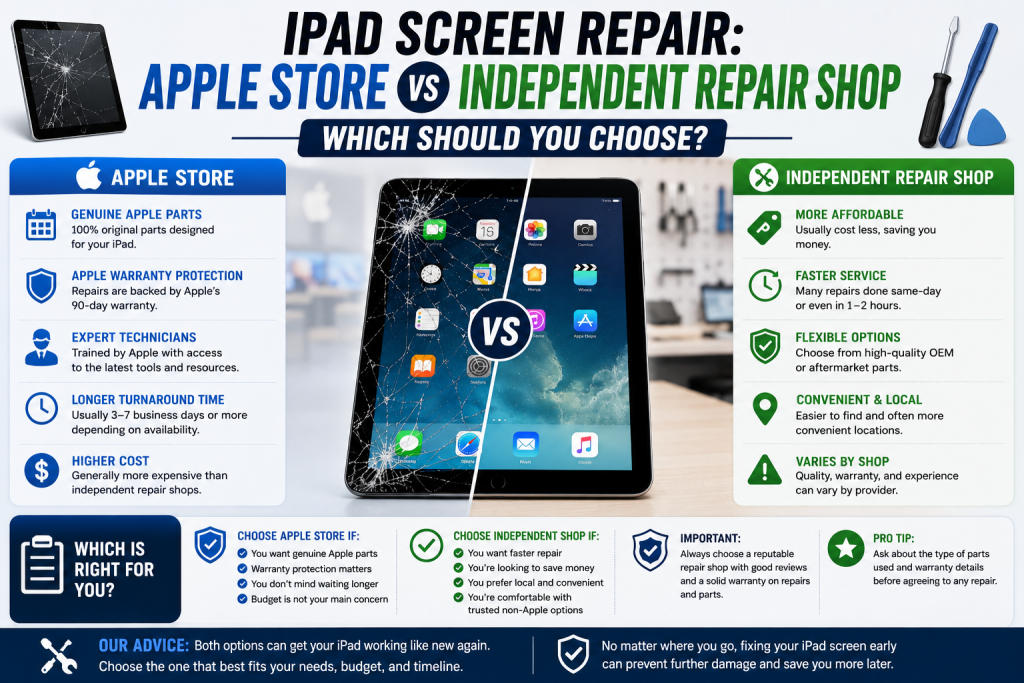
When your iPad screen cracks, you’ve broadly got two choices: book in with Apple, or visit a local independent repair shop. Both can do a good job, but they differ in ways worth knowing before you decide.

Turnaround time. Apple Store appointments often need to be booked days in advance, and repairs are frequently sent away to a service centre, meaning you could be without your iPad for several days. Independent shops like Phone Heroes typically repair iPad screens on the spot, the same day, with no appointment needed.

Cost. Apple’s official pricing is generally higher, particularly for iPad Pro models, and rises further if your device is out of warranty or AppleCare+. Independent repairers often use quality, properly sourced parts at a noticeably lower price point.

Convenience. You don’t need to book ahead at most repair shops — simply walk in. Apple Store appointments, by contrast, can be hard to come by at short notice, especially at busy London stores.

Parts and warranty. Apple only fits genuine Apple parts, which matters to some owners, particularly with newer Face ID-equipped iPads. Reputable independent shops use high-quality alternative parts and back every job with their own warranty — at Phone Heroes, that’s a full year on parts and labour.

Older models. Apple eventually stops offering repairs for older iPads once they’re classed as “obsolete,” sometimes leaving owners with no official option at all. Independent repair shops, including Phone Heroes, continue supporting older iPads — from the original iPad Mini right through to the latest Pro — long after Apple has moved on.

There’s no single right answer — it depends on what matters most to you. But for most people, an independent specialist offers a faster, more affordable, and more flexible alternative without compromising on quality. At Phone Heroes in Earl’s Court, we repair every iPad model, with free diagnosis, same-day turnaround in most cases, and a one-year warranty as standard. Call 020 3397 7407 or visit phoneheroeslondon.co.uk to find out more.
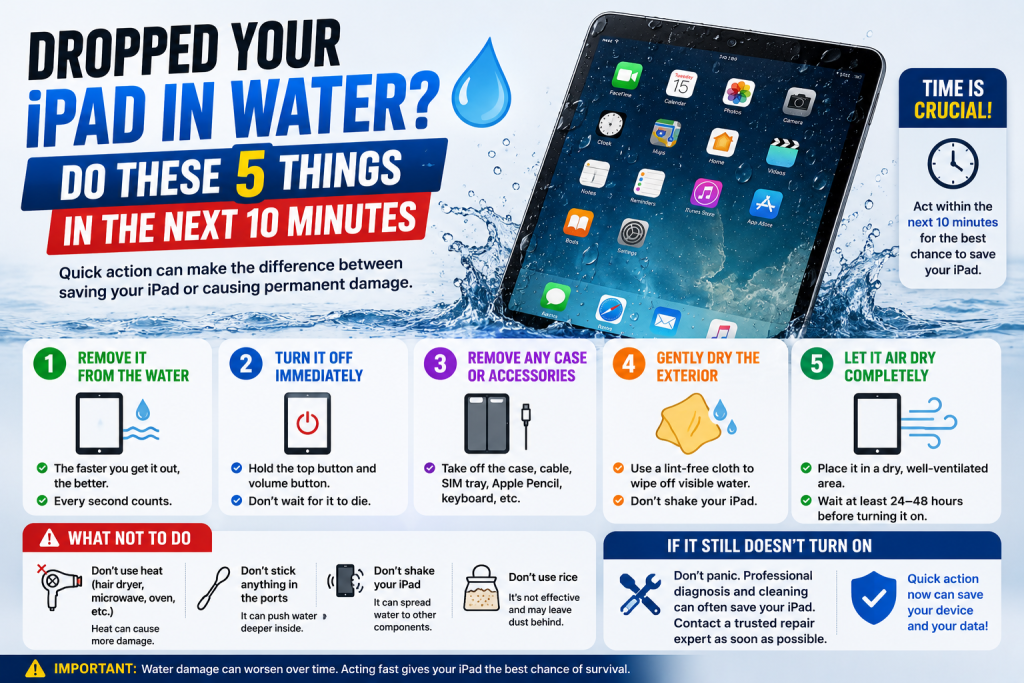
Dropped Your iPad in Water? Do These 5 Things in the Next 10 Minutes

Spilled a drink near your iPad, or had it land in a puddle, the bath, or a sink full of washing up? Unlike many iPhones, most iPads aren’t water resistant, so what you do in the next few minutes really does matter. Here’s the right way to respond.

  1. Get it out of the water immediately and power it off. Don’t try to check if it still works — the longer it stays powered on with moisture inside, the greater the risk of a short circuit damaging the logic board.
  2. Don’t charge it, and don’t press any buttons unnecessarily. Plugging in a charger while the device is wet is one of the fastest ways to cause irreversible internal damage. Avoid pressing the home button or power button repeatedly to “check” it.
  3. Dry the outside thoroughly with a soft cloth. Pay particular attention to the speaker grilles, charging port, and any buttons, gently dabbing rather than rubbing or pushing moisture further inside.
  4. Skip the rice, and skip a hairdryer. Rice doesn’t draw out moisture from sealed gaps the way people assume, and warm air from a hairdryer can push liquid further into the device or melt internal components. Leaving it somewhere dry and at room temperature is safer than either.
  5. Get it to a repair shop as soon as you can. The sooner a technician opens the device and cleans the internals professionally, the better the chance of stopping corrosion before it spreads to the battery, logic board or connectors.

Liquid damage gets worse the longer it’s left untreated, even if your iPad seems to power back on briefly the next day — minerals left behind by the water continue to corrode components over time. At Phone Heroes in Earl’s Court, we offer a thorough liquid damage clean and diagnosis for all iPad models, with no obligation to proceed until you know the full picture. Call 020 3397 7407 or visit phoneheroeslondon.co.uk

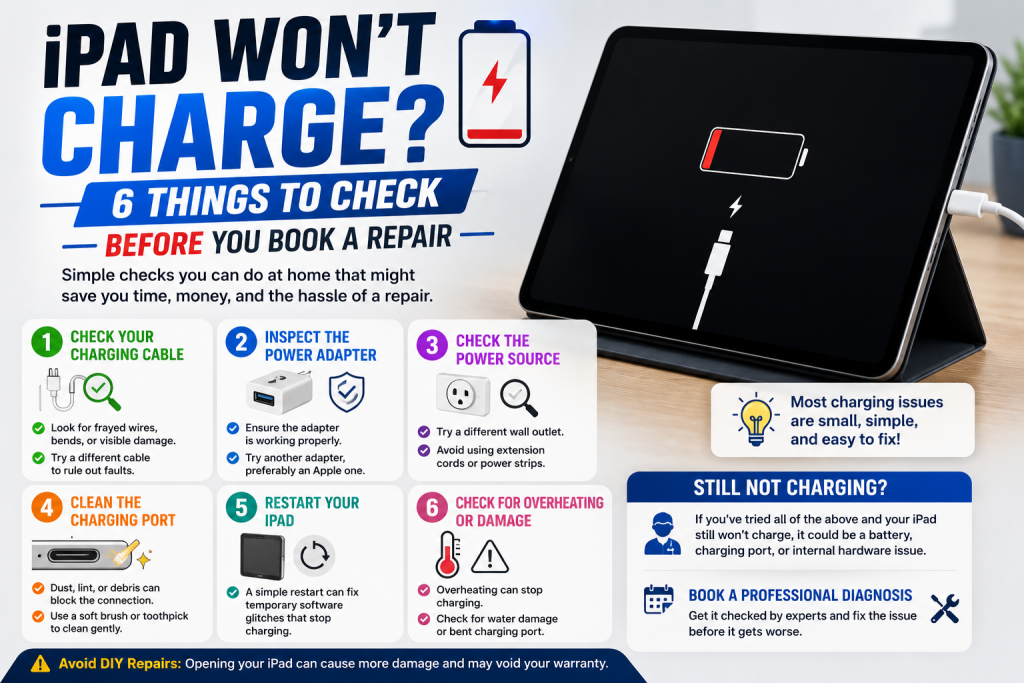
iPad Won’t Charge? 6 Things to Check Before You Book a Repair

A few minutes of troubleshooting can sometimes save you a trip to the repair shop — and if it doesn’t, it’ll help our technicians diagnose the fault faster. Before you assume the worst, work through these six checks.

  1. Try a different cable and adapter. Cables fray internally long before they look damaged on the outside, and this is genuinely the most common reason an iPad appears to have stopped charging.
  2. Inspect the charging port for debris. Pocket lint and dust build up inside Lightning and USB-C ports over time and can physically block the connector from making contact. A soft brush or a wooden toothpick (never metal) can sometimes clear it gently.
  3. Try a different power outlet or socket. It sounds obvious, but a faulty wall socket or extension lead is an easy thing to overlook when you’re focused on the iPad itself.
  4. Restart your iPad. Hold the top button and either volume button (or just the top button on older models) until the slider appears, then power back on. Occasionally a charging fault is software-related and clears after a restart.
  5. Check for a “Liquid Detected” warning. Newer iPads will refuse to charge and show an alert if moisture is detected in the port, even from humidity rather than an obvious spill. Leave it somewhere dry for a few hours and try again.
  6. Look closely at the connector pins. If they appear bent, discoloured, or pushed in on one side, the port itself has likely failed and will need professional attention rather than a quick fix.

If you’ve worked through all of the above and your iPad still won’t charge, the fault is most likely the charging port itself, the battery, or the connector cable inside the device — all repairable. At Phone Heroes in Earl’s Court, we diagnose charging faults for free and most port or battery repairs are completed the same day, backed by a one-year warranty. Call 020 3397 7407 to book.


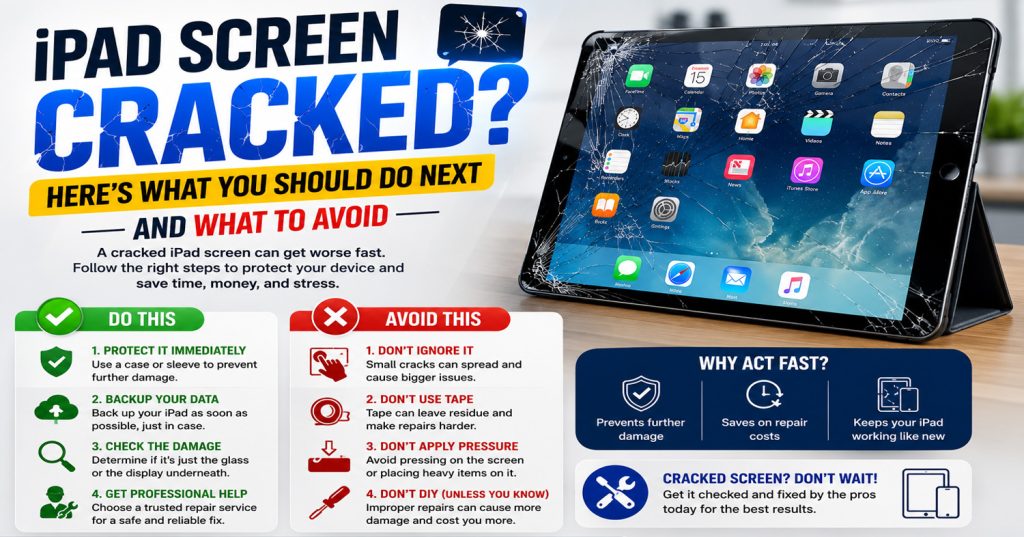
iPad Screen Cracked? Here’s What You Should Do Next (And What to Avoid)

A cracked iPad screen is one of those moments that ruins your day — a single drop and suddenly you’ve got a spider-web of cracks across the glass. Before you panic or reach for a DIY fix, here’s what’s actually worth doing, and what to steer clear of.

Do stop using it straight away. Continuing to tap and swipe on cracked glass can push small shards further into the digitizer or LCD beneath, turning a glass-only repair into a much more expensive full screen replacement.

Do check if the touchscreen still works. If the display lights up and responds to touch, the damage is likely limited to the glass. If areas have gone unresponsive, dark, or are showing odd colours or lines, the LCD itself may also be affected.

Do cover it for transport. A strip of clear tape over the worst of the cracks will stop glass fragments from coming loose in your bag and reduce the risk of cutting yourself while carrying it to be repaired.

Avoid pressing on the cracks to “test” them, and avoid using a case or screen protector to disguise the damage and keep using it — pressure and moisture can both work their way into a damaged screen and cause further internal damage over time.

Avoid cheap online repair kits. Many require you to fully remove the original adhesive seal and battery connector, and a botched DIY attempt is one of the most common reasons we see iPads arrive in a far worse state than when the screen first cracked.

Avoid waiting too long. Dust and moisture can creep in through even a small crack, eventually affecting the battery or logic board underneath — so the longer it’s left, the higher the risk of additional damage.

At Phone Heroes, we replace cracked iPad screens across every model — from the original iPad Mini through to the latest iPad Pro — usually within the same day. Every repair is backed by a one-year warranty and uses quality parts. Visit us at the Warwick Road entrance of Earl’s Court Underground Station, or call 020 3397 7407 to book.

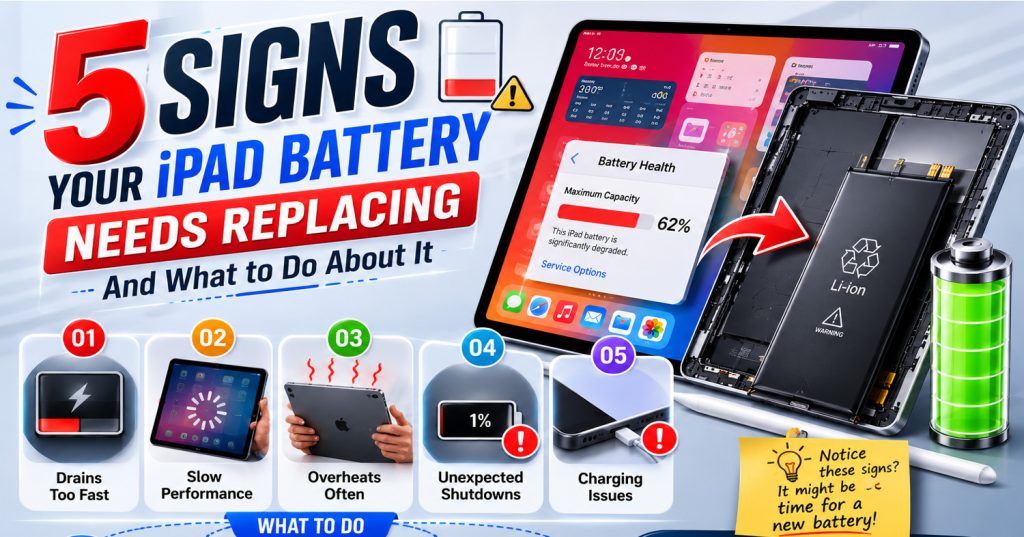
5 Signs Your iPad Battery Needs Replacing (And What to Do About It)

Your iPad is one of the most-used devices in the house — for work, school, streaming or just browsing on the sofa. But no matter which model you own, the battery inside will degrade over time, and unlike the iPhone, iPads don’t show you a battery health percentage in Settings. Here are five clear signs yours needs replacing.

  1. It drains far faster than it used to. If your iPad used to last a full day and now needs charging by lunchtime, the battery has lost a meaningful chunk of its original capacity. This is the single most common complaint we hear at our Earl’s Court repair shop.
  2. It shuts down with charge still showing. A tired battery can struggle to deliver power consistently, so your iPad may switch itself off even when the screen still shows 20% or more remaining. This is a strong sign the cells inside are nearing the end of their life.
  3. The case feels warm or slightly swollen. A battery that’s beginning to expand is a safety issue, not just a performance one. If the back panel bulges, the screen lifts at the edges, or the device feels warm during light use, stop charging it and get it checked straight away.
  4. Charging takes far longer than before. Worn batteries often take hours longer to reach full charge, and some plateau at 80–90% no matter how long they’re left on the charger. If overnight charging has slowed right down, the battery is the likely cause.
  5. Performance feels sluggish for no clear reason. A failing battery can’t always supply the power newer apps and updates demand, leading to lag, stuttering, or apps closing unexpectedly — symptoms many people mistake for their iPad simply getting old.

At Phone Heroes in Earl’s Court, we replace iPad batteries on most models the same day, using quality parts backed by a full one-year warranty. Not sure if it’s actually the battery? Walk in for a free diagnosis and our technicians will give you an honest answer before any work begins. Call 020 3397 7407 or visit phoneheroeslondon.co.uk to book.

Cracked iPhone Screen? Here’s Exactly What Happens When You Bring It to a Repair Shop

Cracked iPhone Screen? Here’s Exactly What Happens When You Bring It to a Repair Shop

A cracked iPhone screen is one of those things that happens at the worst possible moment. One slip, one dropped call, and suddenly you’re squinting through a spiderweb of broken glass. The good news? You don’t need to live with it — and you definitely don’t need to hand over hundreds of pounds to Apple.

At Phone Heroes in Earl’s Court, we fix cracked iPhone screens every single day. In this post, we’re pulling back the curtain on exactly what happens from the moment you walk through our door to the moment you walk out with a phone that looks brand new.

Why You Shouldn’t Ignore a Cracked Screen

It’s tempting to put off a screen repair, especially if the phone still technically works. But a cracked screen is more than a cosmetic issue. Here’s why acting fast matters:

  • Water and dust get in — even a hairline crack breaks the phone’s seal, leaving internal components exposed.
  • The crack spreads — pressure from daily use causes cracks to grow, sometimes rapidly.
  • Touch sensitivity degrades — damaged digitizer layers underneath the glass start to miss taps and swipes.
  • Glass splinters — tiny shards of glass can cause cuts to your fingers, especially around the edges.

The longer you wait, the more expensive the repair can become — what starts as a screen job can turn into a touch controller replacement if the digitizer is further damaged.

What to Expect When You Walk Into Phone Heroes

Our shop is located at Earl’s Court Station, Warwick Road entrance — one of the most central and convenient repair locations in London. No appointment needed. Here’s what happens when you come in:

Step 1 — Free diagnosis (takes about 5 minutes)

Our technician will take a look at your phone straight away. This isn’t a vague ‘leave it with us’ situation — we assess the screen damage on the spot, check for any underlying issues (like a damaged digitizer or frame), and give you a clear, upfront quote. No obligation.

Step 2 — Screen replacement (30–60 minutes for most models)

Once you’re happy with the quote, we get to work. Here’s what the repair process looks like:

  1. We power down and secure your device.
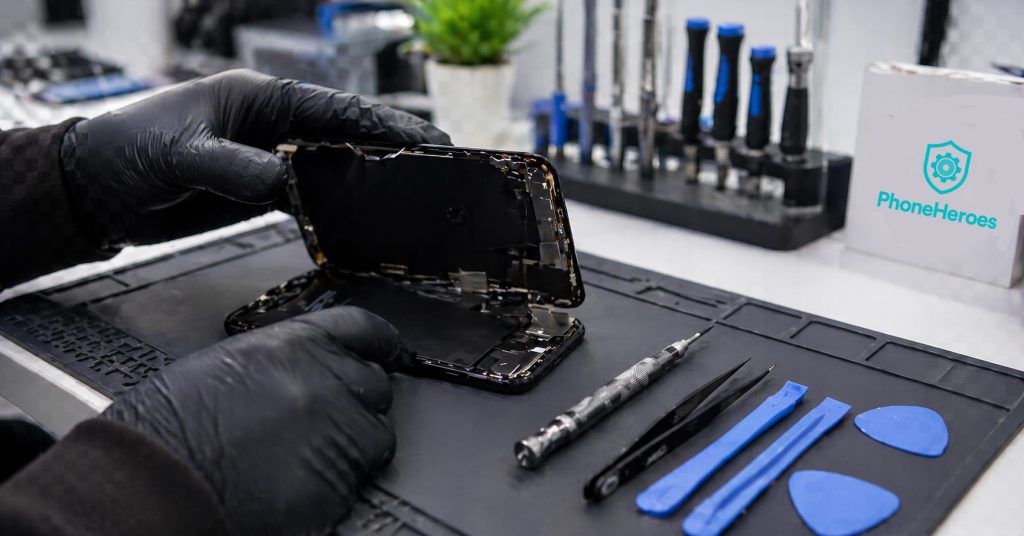
  2. The cracked screen assembly is carefully removed — we use professional tools to avoid any damage to the frame or internal components.
  3. We fit a new, high-quality replacement screen. We use OEM-grade or OEM displays depending on the model and your preference.
  4. All connections are reseated and tested — touch sensitivity, Face ID, True Tone, and brightness all checked before closing up.
  5. The phone is powered back on and put through a full functionality check.

Step 3 — Quality check and handback

Before we hand your phone back, we run through a checklist: the screen is responsive, edges are flush, all functions work. You’ll see the result before you pay. We don’t rush this — getting it right the first time is what earns our 4.7-star rating on Google.

How Long Does a Screen Repair Take?

For most iPhone models, screen replacement takes between 30 and 60 minutes. Some complex models — like certain iPhone Pro models with advanced display technology — may take slightly longer. We’ll always give you a realistic time estimate upfront. In most cases, you can wait in-store or pop to a nearby coffee shop and come back.

iPhone 11, 12, 13, 14, 15 — most repairs completed in under 45 minutes.

OEM vs Aftermarket Screens — What’s the Difference?

This is one of the most common questions we get. Here’s a quick breakdown:

  • OEM (Original Equipment Manufacturer) screens come from the same supply chain as Apple’s own screens. They look and feel identical to the original and maintain features like True Tone on compatible models.
  • High-quality aftermarket screens are made by third-party manufacturers to the same specifications. They’re slightly more affordable and are a great option for older iPhone models or budget-conscious repairs.

We’ll always explain the difference and let you choose. We never use cheap, low-grade displays — every screen we fit comes with our 1-year warranty.

What Does Our 1-Year Warranty Cover?

Every screen repair at Phone Heroes comes with a 1-year warranty as standard. This covers:

  • Defects in the replacement screen (dead pixels, touch issues, colour inconsistencies)
  • Any fitting or installation issues

The warranty does not cover new physical damage (a second drop is a second repair). But for anything related to our workmanship or the quality of the part — we’ve got you covered.

Frequently Asked Questions About iPhone Screen Repair in London

Will repairing my screen void my Apple warranty?

If your phone is already out of Apple’s warranty period, this isn’t a concern. If it’s still under Apple Care+, we’d recommend checking Apple’s repair costs first — though in most cases, an independent repair is significantly cheaper and just as reliable.

Do you repair all iPhone models?

Yes. From the iPhone 6 all the way through to the iPhone 15 Pro Max. If you’re unsure whether we cover your model, give us a call or just walk in — we’ll tell you immediately.

What if my screen still doesn’t work properly after repair?

That’s what the warranty is for. Come back in and we’ll assess it. We stand behind every repair we do.

Do I need to back up my phone before coming in?

A screen repair doesn’t affect your data — your content stays on the phone throughout. That said, it’s always a good habit to back up your phone regularly, and we’d recommend doing so before any repair as a precaution.

Walk in today — no appointment needed. Phone Heroes, Earl’s Court Station, Warwick Rd, London SW5 9SY. Call us: +44 20 3397 7407

Why Do You Need iPad Glass Replacement Same Day Services?

iPad glass replacement same day

A glass of an iPad is the most vital aspect for the users of iPad because they are always trying to take care of iPad Glass from any kind of damage. When or why, you need the iPad Glass Replacement Same Day Services? It is the question of so many users because sometimes they didn’t know about the actually, they don’t know about the possibilities of the iPad Glass Replacement Services.

1). When Your iPad Glass is Broken: 

The first thing that you need to know here is the iPad Glass is a Broken situation. It is the first and foremost reason for people to change the glass of iPad. If you are also thinking that the glass of your iPad is broken then get in touch with the services of Phone Heroes London because with these services you can get the iPad Air Screen Repairs Services.

2). When The Glass Looks Too Much Old:

If the year has been passed by your old iPad Glass and you think that iPad Glass Looks too much old now, then you can choose the iPad Glass Replacement Same Day Services. Therefore, if the glass has been replaced so many long times ago then change the glass of your iPad with the iPad Glass Replacement Same Day Services.

3). Glass Affects Screen or Touch of iPad:

The next reason to get the service of iPad Glass Replacement Same Day is when because of Glass you are not able to use the touch or screen of your iPad Properly and you want to use it properly without facing the issue of the touch screen. Some glasses do not work properly after some time and that’s why users are thinking to replace the glass of the iPad the same day to use the phone properly. Hence, It’s all about the information that you need to know in the range of circumstances and reasons when you need the iPad Glass Replacement Same Day Services. Phone Heroes London is also the best service provider for phone repair or mobile screen repair goals.

Also read: Things to Know About Mobile Screen Repair in London

How to Get iPad Glass Replacement Same Day Services?

iPad Glass Replacement Same Day

Same-day services for apple devices are pretty much difficult for the customers but not impossible. If you are using an iPad and facing problems or issues with the glass of your iPad then you must know about the iPad Glass Replacement Same Day services at the Phone Heroes London. We are offering same-day replacement services for the iPad Glass but you must know about the process to complete this task.

1). Choose an Authorized Apple Service Centre:
The first thing that you need to know here is to choose an authorized apple service centre where you can get the replacement services. However, not all the service centres are offering same-day replacement services to the customers and that’s why they must ask first for this question or doubt in the mind.

2). How Much Does iPad Glass Replacement Cost?
The next thing that you need to know here is the cost of the iPad Glass Replacement Same Day. Cost depends on the issue and the coverage of your device. The engineer can give you an idea about this as well.

3). Should I Repair My iPad Glass?
Sometimes due to the dust on the glass, your iPad will not be working properly and that’s why you must use a soft cloth to clean your iPad glass first.

4). Is iPad Glass Same Day Replacement Worth It?
Yes, the iPad Glass Replacement Same Day is worth it for the customers, when they use the services of the best service provider. Phone Heroes London is the best place for people in the United Kingdom to get glass replacement and iPhone repair services. We offer same-day services and you can repair or replace your iPad Glass within 24 hours.

The Bottom Line:
Your touch screen of the iPad may also not work properly if the glass of your device has some issue. Hence, you must take care of these things before choosing the right iPad Glass Replacement service. Just confirm your appointment with the experts of iPhone repair and parts replacement to fix this issue.