

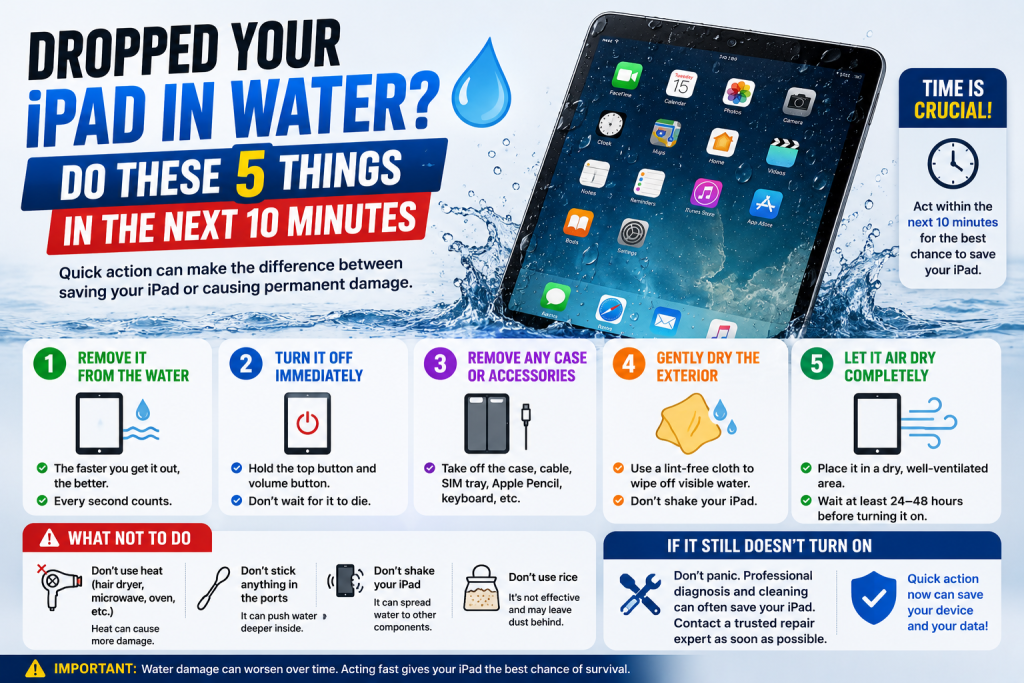
Spilled a drink near your iPad, or had it land in a puddle, the bath, or a sink full of washing up? Unlike many iPhones, most iPads aren’t water resistant, so what you do in the next few minutes really does matter. Here’s the right way to respond.
- Get it out of the water immediately and power it off. Don’t try to check if it still works — the longer it stays powered on with moisture inside, the greater the risk of a short circuit damaging the logic board.
- Don’t charge it, and don’t press any buttons unnecessarily. Plugging in a charger while the device is wet is one of the fastest ways to cause irreversible internal damage. Avoid pressing the home button or power button repeatedly to “check” it.
- Dry the outside thoroughly with a soft cloth. Pay particular attention to the speaker grilles, charging port, and any buttons, gently dabbing rather than rubbing or pushing moisture further inside.
- Skip the rice, and skip a hairdryer. Rice doesn’t draw out moisture from sealed gaps the way people assume, and warm air from a hairdryer can push liquid further into the device or melt internal components. Leaving it somewhere dry and at room temperature is safer than either.
- Get it to a repair shop as soon as you can. The sooner a technician opens the device and cleans the internals professionally, the better the chance of stopping corrosion before it spreads to the battery, logic board or connectors.
Liquid damage gets worse the longer it’s left untreated, even if your iPad seems to power back on briefly the next day — minerals left behind by the water continue to corrode components over time. At Phone Heroes in Earl’s Court, we offer a thorough liquid damage clean and diagnosis for all iPad models, with no obligation to proceed until you know the full picture. Call 020 3397 7407 or visit phoneheroeslondon.co.uk