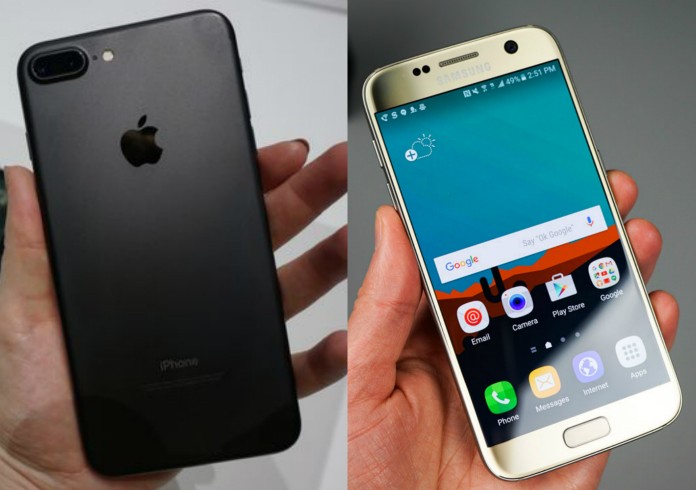
iPhone 7 VS S7

iPhone vs samsung


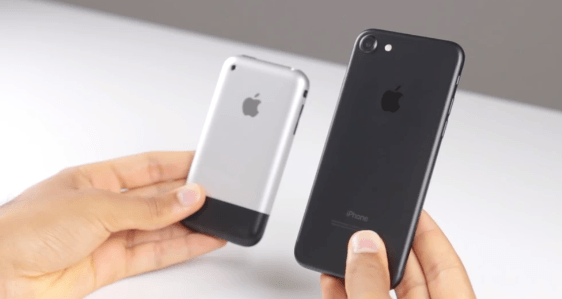
The iPhone 7 and the S7 are both leading phones within the smartphone industry. But which one is better? I guess that depends on who’s using it as each person has their own preferences. This video compiles some of the similarities as well as the differences between the smartphones. The iPhone 7 was released in September 2016 whereas the S7 was released in March 2016.

The iPhone 7 has a 4.7 inch 1334×750 display whereas the Galaxy S7 has a 5.1 inch 2560×1440 display. Both devices have a 12 mega pixel rear facing camera. The iPhone 7’s front facing camera has 7 mega pixels when the S7 only has a 5 mega pixel front facing camera.

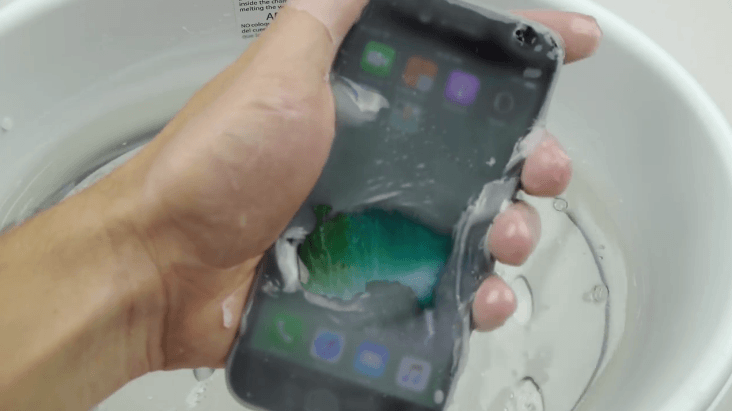
Both phones are water resistant however, the S7 is more durable with an IP68 rating. The IPhone 7 has a new A10 fusion chip which is a higher processor than all other mobile processors. The Galaxy S7 uses the Qualcomm Snapdragon 020. You can get the iPhone 7 is available with 32,128 or 256GB of internal storage. On the other hand, the Galaxy S7 is available with 32and 64GB options.

With the Galaxy S7 you can expand the amount of storage on your smartphone through the micro SD card slot. The S7 also still has a headphone jack whereas the iPhone 7 does not have one anymore. Instead, you have to use headphones that have the same design as a charging cable. The iPhone 7 cost from £599 whereas the S7 costs from £308.99. You can get both devices at almost any mobile provider as they are popular in the current market.

Here at Phone Heroes we have a mixed opinion on which phone is better as some of our team members have iPhone 7’s whereas some of them also have the S7 as well. We have found that both smartphones are equally as good but that each one has positive and negative aspects to them as well.

Crazy iPhone 7 Headphone Jack DIY

iPhone 7 headphone jack

The iPhone 7 has been a popular phone with Apple users, however, the only major difference between the iPhone 7 and previous iPhone generations is that there is no headphone jack. This means that you have to use the charging port for both functionalities. You are able to get special iPhone 7 headphones as well as adaptors in case you want to use your old headphones.

In our opinion, it’s a lot more hassle to buy new headphones or an adaptor to fit your own headphones. Lots of people seem to just go with it and don’t mind paying more for new headphones or an adaptor. However, one guy who is a YouTuber decided that he wanted a headphone jack in his iPhone 7 so he drilled his own one instead.

Whilst drilling the hole into the iPhone 7 it didn’t seem to affect the iPhone in any way as the screen was still showing an image while the hole was being drilled. Once the hole had been drilled apart from the roughness of the hole it looked in place and like it had been there all along. It did work although you could hear the music a lot so the sound didn’t all go to the headphones.

It was easy to create the headphone jack as all you needed was a drill. Anyone could do this to their iPhone 7 if they wanted to however, we would recommend not trying anything. Why would you want to waste a £500+ phone just for the sake of creating a headphone jack. There are many ways to resolve this issue by using special headphones for the iPhone 7, using an adaptor so that you can use your old headphones or even using Bluetooth headphones which will save you the hassle of having loads of wires. Being creative when it comes to being able to listen to music on the iPhone 7 doesn’t mean that you should ruin it. There are many tech accessories that can solve your problem for you and for a reasonable price as well!

Top 10 features for the new iOS 10

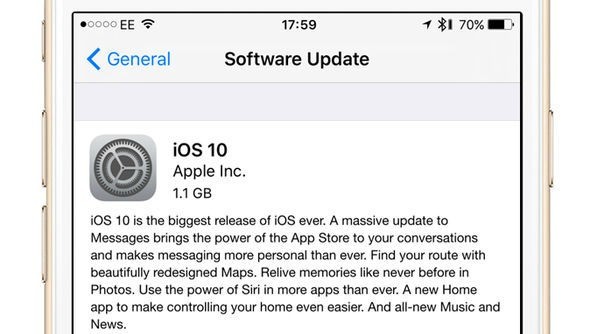
Have you updated to iOS 10 yet? In our opinion it’s like having a whole new phone. As there are so many new features many people are undecided whether they like it or not. Some examples of the new features of iOS 10 are that you can now send your iMessages with effects. For example, you can send a message with invisible ink, gently, loud or slam. You can also send a message with an onscreen effect with balloons, confetti, lasers, fireworks and a shooting star.

You can also send particular emojis when you type certain words. If you type a word and then it is highlighted orange you just click on the word and then a selection of emojis relating to that word show up. In iMessage you can draw things to send to your friends or family similar to when you draw something on SnapChat. As well as this you can access the app store and music directly from iMessage.

The whole of the interface has changed like when you unlock the iPhone you can swipe left to see all of your notifications and then swipe right to take photos or videos. The way that photos are stored are now different to before as you can see memories in chronological order. Maps have been redesigned so that you can access more information when looking for a particular place.

The update has been both positively received as well as negatively. Many people have been pleased with the new additions but some people also dislike how much has changed. The next update may be even bigger as Apple are getting closer and closer to their ten year anniversary. Each update will no doubt include things people like as well as things that people don’t like. Whether Apple will change a number of features in the next iOS who knows.